2.0 Receiving Process

Is anyone else finding the receiving process to be less helpful than before?
We are finding that even when entering a PO and a complete SKU the options are too broad, and don't provide the same direct match % that PO creation offers to what we are looking up. Take a look at the screen shot here, and see that with a PO# & SKU the top choice isn't the one I want, in fact I have to carefully read to find the one I want to receive, slowing this process down immensely.  What is the logic behind this change to the process?
I'm still not entirely sure why we can't receive right off a PO, and be able to close them out line by line as something is checked in either.
For such an essential process to the RetailOps environment it doesn't seem right. Or is that just our processes?
-

Hi Colin
I agree completely - we raised this a bug with support in August, but have still not seen a resolution.
For many of our vendors the MPN is common across many individual SKU's so we see far more products on the receiving screen than were ever on the PO.
One workaround we use is to add the PO first then scan the EAN/UPC for each product before placing it on the scale. This returns only the product that is being booked in.
The big risk with this approach is that even if the item was not on the PO it will still be received with no visual indication there is a problem. You will therefore need a process in place to check that each PO has been received in full and any missing items( or extra items) are followed up with Vendors.
If you have product variations that are specified on the SKU in the PIM you can request support to add these to the details field in the receiving tool - we found this helped with size and color variants,
We have also found when you use the columns feature in manual PO creation the products just will not show up in the 2.0 receiving tool. To get round this we roll the version back for the browser on the receiving station and receive in the old version of the tool.
I hope this helps, and if you find any other good workarounds, please let me know!
-

Yep, definitely a step backwards for us. RO seems to be completely consumed with creating a blind receiving process, which I understand, to a degree.
We have an active feature request for "Strict Receiving" which should help to address some of the concerns raised. Here is a summary from the FSA:
Update core receiving system to compare quantities ordered with cumulative quantity received. If the sum of the quantities which have already been received plus the quantity to be received exceeds the total of the ordered quantity, the user shall be prompted for confirmation using a modal messaging dialog. If the user bears warehouse-lead privileges, they shall be permitted to override the warning message, and receive the additional quantity beyond what was ordered. If the user is of non-lead privilege, the receipt shall be wholly declined until such time as the quantity is sufficiently reduced, or a warehouse lead re-attempts the receipt under their credentials.
We've had a disastrous time dealing with product that was received against the wrong PO, or the wrong quantity was received, and there was no prompt because RetailOps will let you receive as many as you want.
In conjunction with the invoice reconciliation tool, that would help a lot.
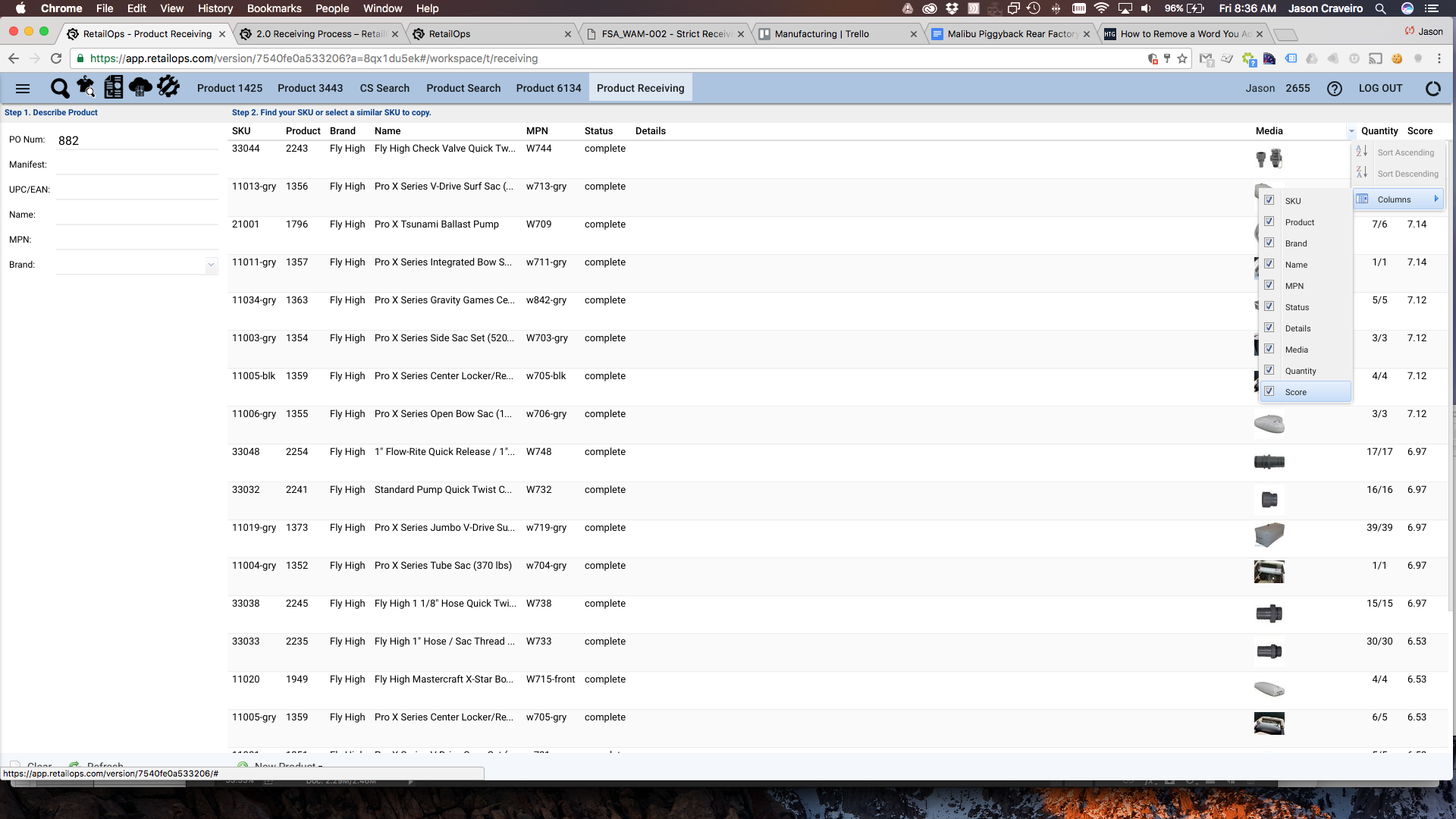
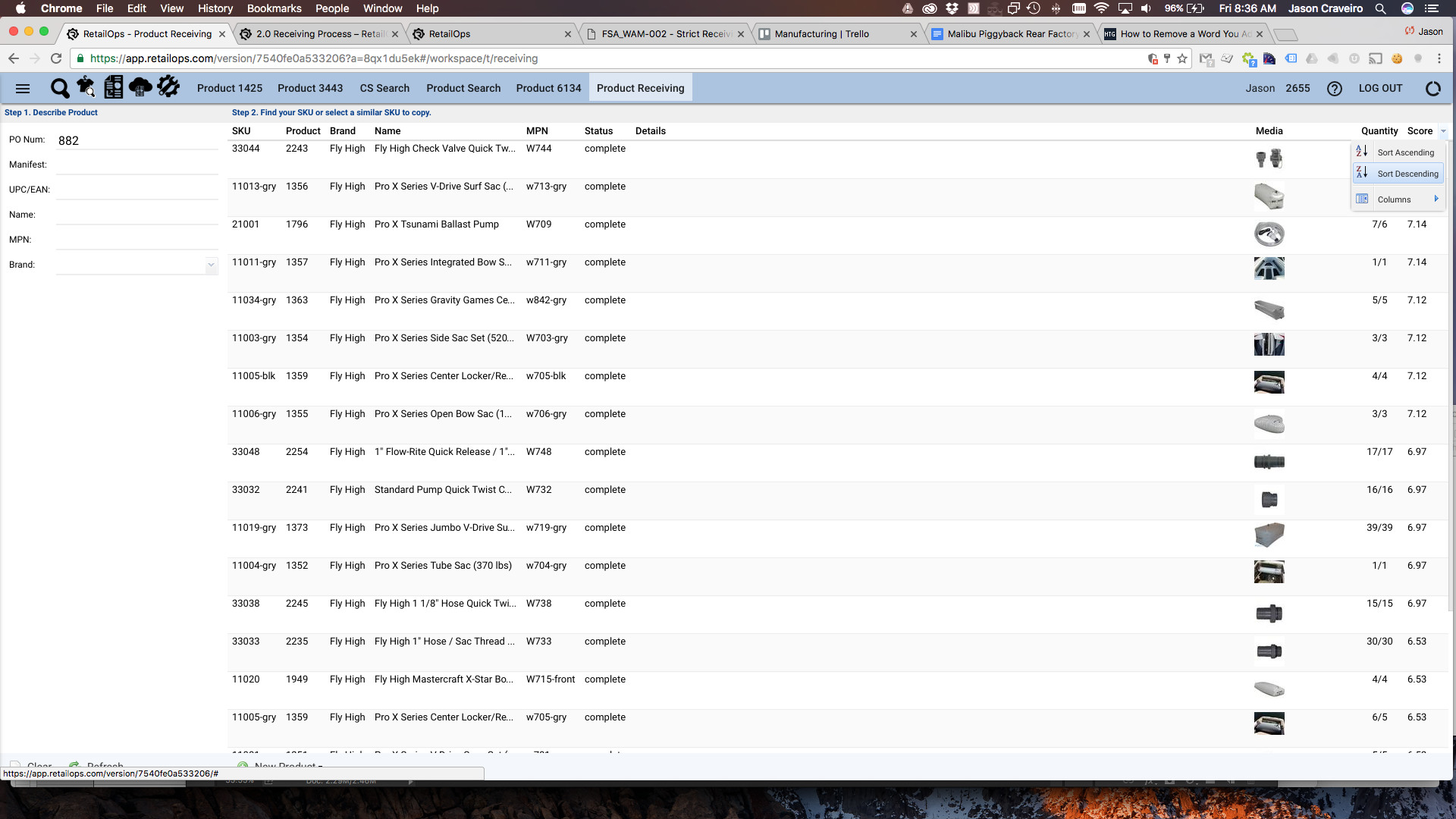
Still, it would be beneficial to have matching items "bubble" to the top of the received items list. Along those lines, one tip is to "turn on" the score column in the receiving tool (see the attached screenshots), that will allow you to sort the items list based on "score" (which appears to be a ranking for how closely the item matches the search criteria entered).

Please sign in to leave a comment.
Comments
2 comments